Typed Content
Alpha Translit does not send typed content or personal information outside the device.

Type a wide range of Latin letters and symbols on your phone or tablet.
Alpha Translit is a keyboard for entering modified Latin letters like “Á” and phonetic symbols like “ə” in a simple and intuitive way.

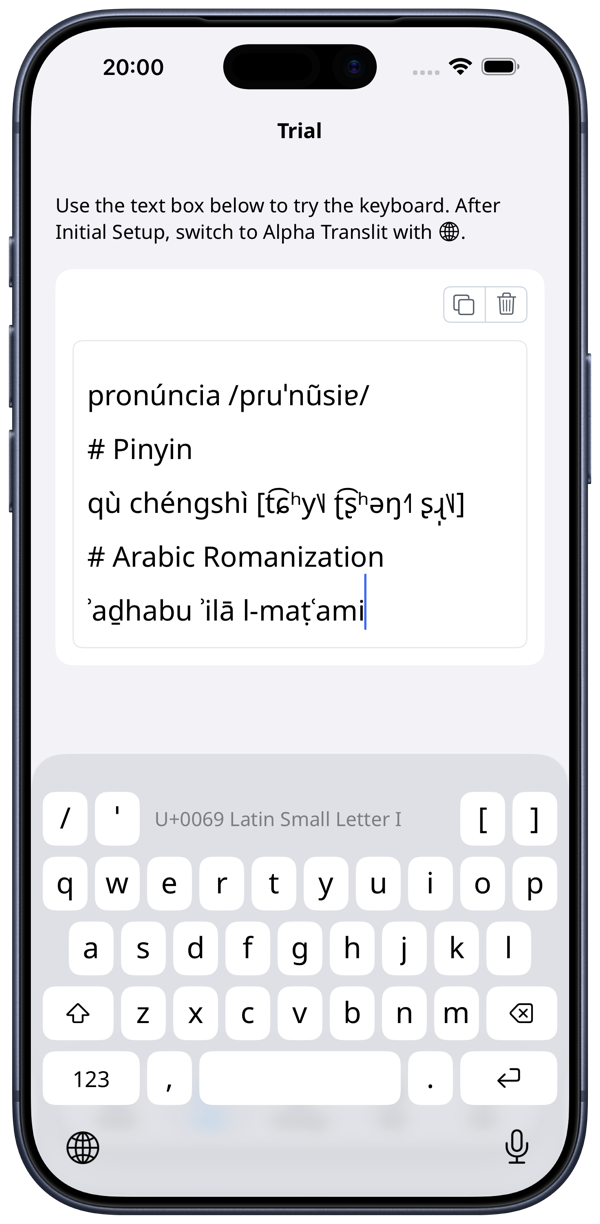
Alpha Translit lets you freely combine Latin letters with diacritics, making it easy to romanize languages such as Chinese and Arabic. It also supports IPA (International Phonetic Alphabet) symbols, so it works well for vocabulary lists, learning materials, and academic writing.
Press and hold a key to choose from a list of related characters and symbols.
Symbols shown with a dotted circle, such as ◌́, are used to enter combined characters. For example, to type “á”, tap a, then press and hold ’ and choose ◌́.
Host app pages explaining input methods and examples
On smaller screens such as iPhone, the keyboard is split into three layouts: Latin, Symbols, and Supplementary Symbols.
Symbols and Supplementary Symbols layouts on iPhone
On larger screens such as iPad, the keyboard uses two layouts: Latin and Symbols. More keys fit on each layout, so you can type with less switching.
In either layout, there is an area at the top that displays information about the character you have entered. This helps prevent mistakes where you accidentally enter a different character that looks similar.
Latin and Symbols layouts on iPad
Characters are arranged to feel close to a standard keyboard and require little effort to learn. If you cannot find a character, the host app includes a Key Reference so you can quickly check where it is.
Key Reference on iPhone and iPad
Alpha Translit does not send typed content or personal information outside the device.
Full access is not required to use this app.
If the in-app FAQ does not resolve an issue or question, contact support@pecorarista.com.