
Translit
Write transliteration and phonetic notation without leaving your normal typing flow.
Translit is an iOS keyboard for phonetic symbols, accented letters, and extended Latin characters. It is made for language learning, phonetics, dictionaries, research notes, and everyday writing in Latin-script languages.

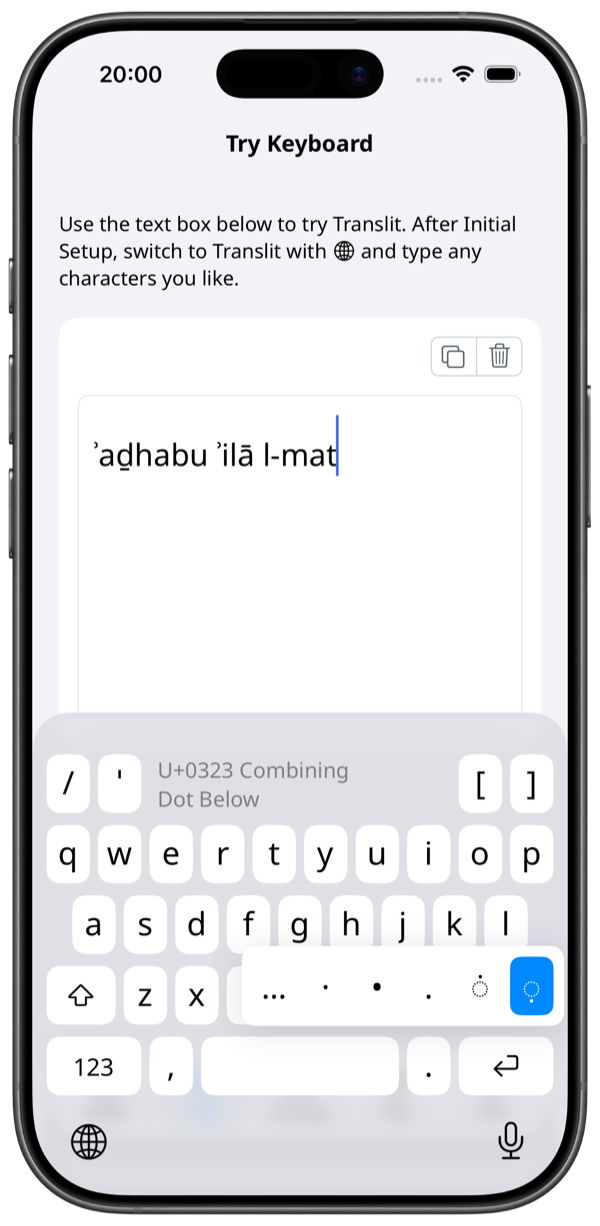
Put hard-to-type characters into ordinary text.
Like Compose Key or WinCompose, Translit keeps special characters close to short, memorable actions on iPhone and iPad.
Instead of opening a character table and copying a symbol, long-press a related key or add a combining mark to the previous character. You can insert only the character you need while staying in the text field.
- e ◌́ é
- n ◌̃ ñ
- s long press ʃ
- a ◌́ á
- c ◌̌ č
- h ◌̣ ḥ
- e ◌̣ ◌́ ẹ + ◌́
Screenshots
FAQ
These answers are being prepared for both the website and the App Store description.
Does Translit require full access?
Full access is not required for basic typing.
Does Translit send typed content?
Translit does not send typed content or personal information outside the device.
What is Translit useful for?
It is useful for language learning, phonetics, dictionaries, research notes, and any workflow that uses phonetic symbols, accented letters, or extended Latin characters.
Can I choose Unicode normalization?
Yes. The settings tab lets you switch the output normalization form between NFC and NFD.